Miscellaneous Receipt Analysis Report
|
Screen ID: Screen Title: Panel Number: Report Name: |
LMR-01 Miscellaneous Receipt Information 788 LMR |
|
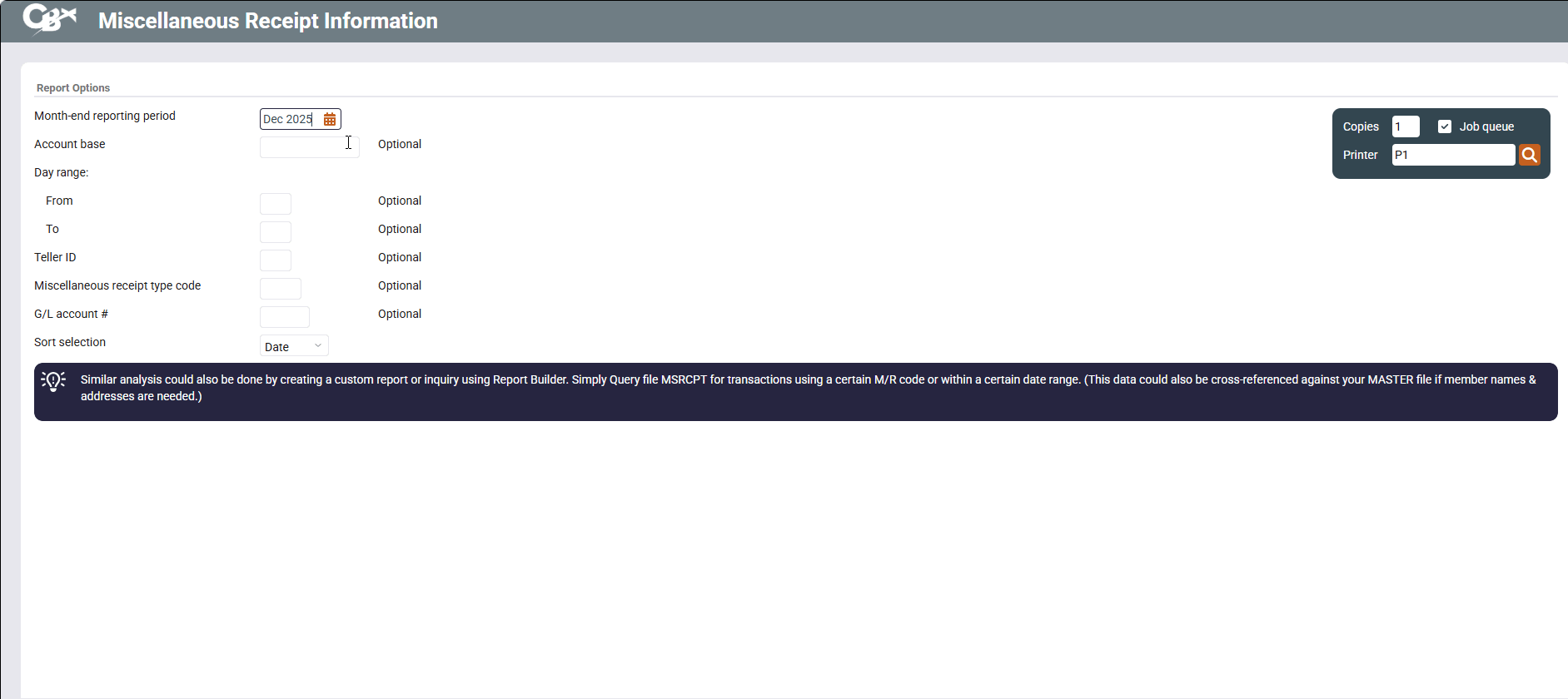
Access this screen by selecting Tool #533 Misc Receipt Monthly Analysis Report.
This screen is used to print a report showing miscellaneous receipts for a specific time period. The report can be set up to show only a specific type of miscellaneous receipt, or you may elect to list only receipts taken in during a specific date range.
-
For example, say you reconcile and report traveler's check sales once every week. This report could be set up to show any transactions within a 5-day period which use the miscellaneous receipt type code for traveler's checks.
-
CU*TIP: Similar analysis could also be done by creating a custom report or inquiry using the Report Builder. Simply Query file MSRCPT for transactions using a certain M/R code or within a certain date range. (This data could also be cross-referenced against your MASTER file if member names and addresses are needed.
-
Currently the report does not include miscellaneous receipt disbursements through the loan disbursal process.
Field Descriptions
|
Field Name |
Description |
|
Month-end reporting period |
Enter the month and year for which data should be shown. Normally three previous months are available. To run a report using month-end data prior to the months held online, contact a Client Services Representative. (There is a charge if this service is requested.) |
|
Account base |
(Optional) To pull the miscellaneous receipt report showing transactions with a specific member, enter the member's account base number here. |
|
Day range (from - to) |
(Optional) To pull the report showing transactions that occurred during a specific range of days (one day or multiple days), enter the starting and ending days here.
|
|
Teller ID |
(Optional) To pull the report for transactions made by a specific employee, enter the ID here. |
|
Miscellaneous receipt type code |
(Optional) To show only transactions for a specific miscellaneous receipt type code, enter the code here.
|
|
G/L account # |
(Optional) To show only transactions posted to a specific G/L account, enter the account number here. |
|
Sort selection |
Use this field to indicate how the list should be sorted:
|
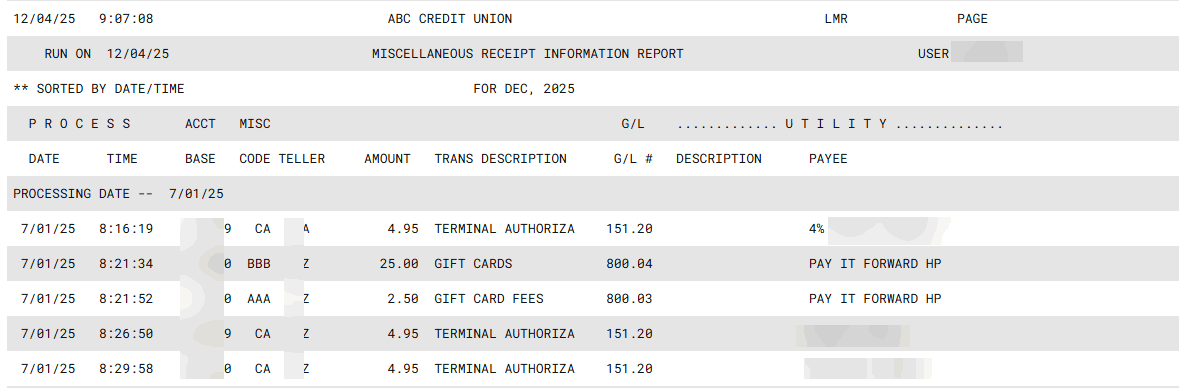
Report Sample
Following is a sample of the Miscellaneous Receipt Information Report, sorted by date. You can also sort this information by other sorts, such as employee ID.