Force Post Disbursements to Credit Cards
| Screen ID: | TECTBC-01 | 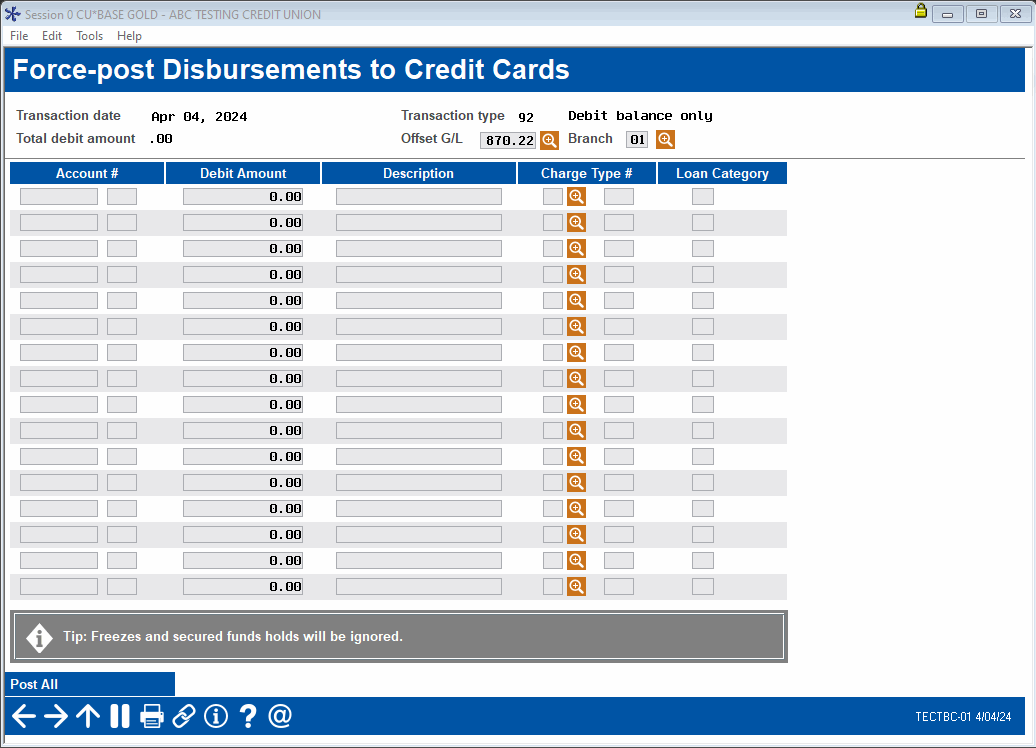
|
| Screen Title: | Force-post Disbursements to Credit Cards | |
| Panel ID: | TECTBC-01 | |
| Tool Number: | 1041 | |
| Click here to magnify |
Access this screen by selecting Tool #1041 Force Post Disbursements to Credit Cards
This tool allows authorized staff to post transactions to a member's credit card loan that would otherwise be exceptions, such as overlimit loans or frozen accounts. Freezes and secured funds holds will be ignored to post the transactions listed here.
Ensure the appropriate Offset G/L and Branch are selected for these transactions. Enter the Account #, Debit Amount, and Description for the transaction. Use the lookup icon to select the Charge Type #; this selection will also fill in the Loan Category field. After entering the transaction information to post, select Post All to force post.
-
NOTE: Do not post finance charges using this screen. Follow your credit union policies and procedures.