OPER: ChexSystems Interface Configuration (1)
|
|
| Screen ID: | UCHEX-01 |
| Screen Title: | Configure ChexSystems Interface |
| Accessed by Tool Number: | 5363 |
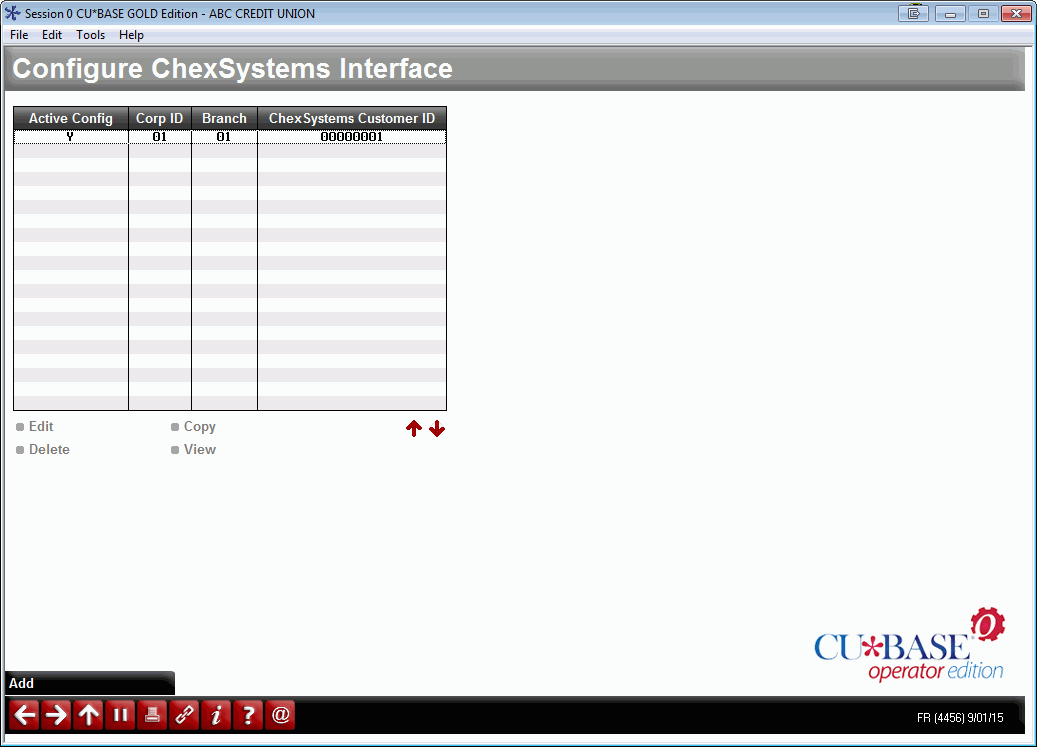
Contact Lender*VP for assistance. This is the first screen used to set up an interface between CBX and ChexSystems (FIS) for the use of the QualiFile risk assessment product.
Also see the flyer Risk Assessment Tools: QualiFile by ChexSystems, Inc. and the QualiFile Sign Me Up form for more information about this interface.
Because of the way ChexSystems structures its client relationships, each credit union branch must have its own record in this configuration. To add a new branch, use Add (F6), or select an existing record in the list and choose Edit to proceed to the main configuration screen.