Configure 1Click Relationship Offers
| Screen ID: | UCLR1CLK-01 | 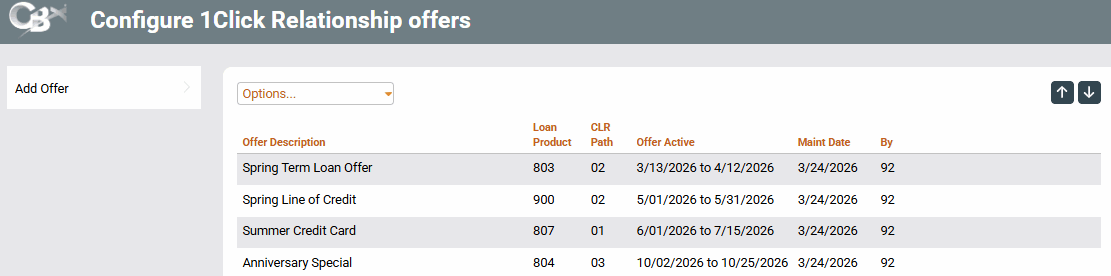
|
| Screen Title: | Configure 1Click Relationship Offers | |
| Tool Number: | 1061 | |
| Click here to magnify |
Access this screen by selecting Tool #1061 Configure 1Click Relationship Offers. For a view-only version of this tool, use Tool #1062 View 1Click Relationship Offers.
Helpful Resources
Overview: 1Click Offers, 1Click Offers reference guide
Overview: CLR Path Decision Advisor, CLR Path reference guide
Screen Overview
This screen lists all configured 1Click Relationship Offers. An active offer will be highlighted in yellow. Only one 1Click Relationship Offer campaign can be active at a time.
To begin configuring a new 1Click Relationship Offer, use the Add Offer button to proceed to the next screen. You may also use the Options dropdown menu to edit, copy delete, and view existing 1Click Relationship Offers.
IMPORTANT NOTE: In order for these offers to be distributed to eligible members in It's Me 247, the "My Offers" module must first be turned on via CU Publisher.