Exception Check Holds Configuration (2)
|
Screen ID: Screen Title: |
UCHKHOLD-03 Exception Check Hold Configuration |
|
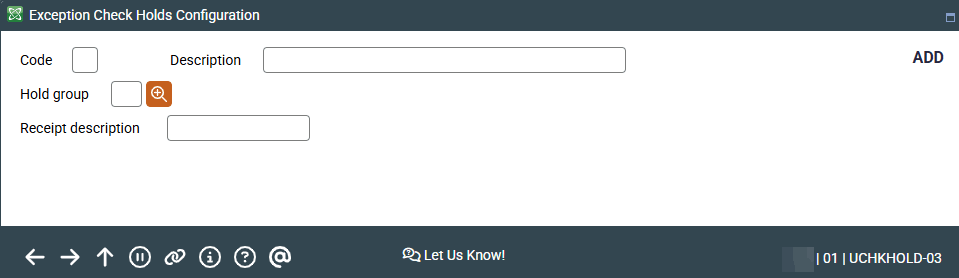
This screen is accessed by selecting Add on the first Exception Check Holds configuration screen.
Learn more about the Exception Check Holds feature
On this screen connect your Automated Funds Configuration and your Electronic Funds Deposit Hold Group configuration for the Exception Check Holds configuration.
| Field Name | Description |
|
Code |
Two-position numeric code assigned to the exception code. Required field. |
|
Description |
40-position alphanumeric. Description for the exception code. Required field. |
|
Hold Group |
Use the look up to select from the configured electronic deposit hold groups that have "Use to set holds on teller outside checks" checked. Required field.
|
|
Receipt description |
Ten-position alpha-numeric description used for the teller receipt. Required field. |