Exception Check Holds Configuration
|
Screen ID: Screen Title: |
UCHKHOLD-02 Exception Check Hold Configuration |
|
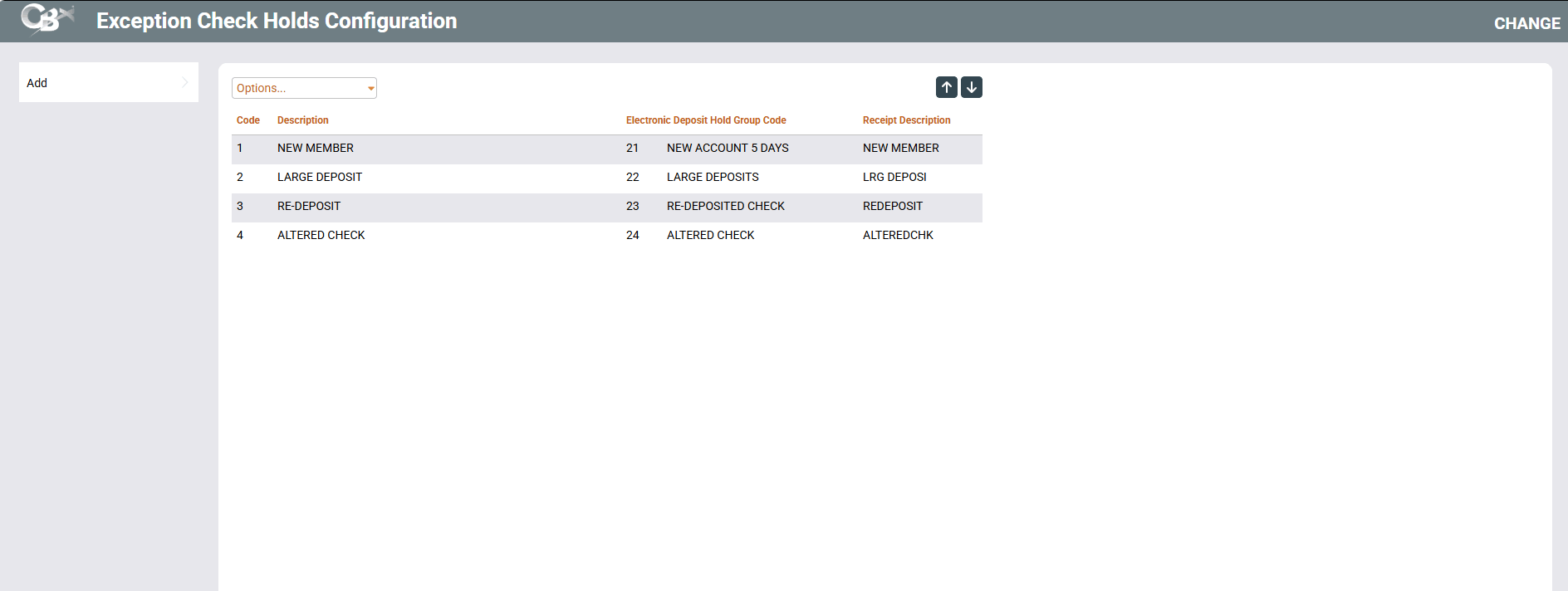
Access this screen when Save/Continue is clicked on the Automated Deposits Holds Configuration screen when "Activate check hold exception reasons" is checked on that screen.
-
NOTE: Allow teller to change check holds cannot be checked on the previous screen as this feature sets the hold selections for the tellers when depositing checks.
Helpful Resources
For more details on this feature, refer to the Automated Deposit Holds booklet.
About this Feature
This configuration can be used to configure check hold exceptions that require special handling, including conditions that are not subject to Reg CC. Once this is configured, front line staff depositing checks will use pre-configured hold codes that are tied to your electronic deposit hold groups. (See section on front-line staff handling below.)
Configuring this Feature
After setting up your exceptions using the Electronic Deposit Holds feature (see notes below), use the configuration here to tie those exceptions to Automated Deposit Holds handling. Use Add to advance to the detail screen to set up the connection.
Important Notes:
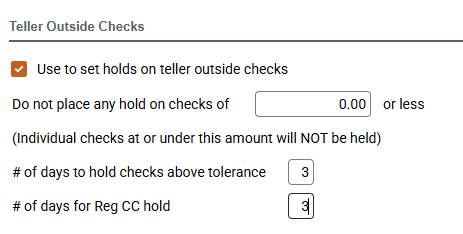
Only Electronic hold groups configured with "Use to set holds on teller outside checks" can be used with this feature.
If your credit union does want to waive Reg CC (next day holds), you will need to set up the number of days in the Electronic Hold group to be the same for both the hold and the Reg CC release as in this example:
How this Feature Works for Front Line Staff
Once the feature is set up, any time a teller deposits a check on the Outside Checks screen or Xpress Teller Funds In screen, will have alternate pencil icon (next to the "Days" column on Teller Outside Checks and "Hold Days" column on Xpress Teller Funds In) revealing a selection screen allowing tellers to choose one of these preconfigured exception hold groups codes rather than setting the hold days themselves.
-
The description that appears on the member's receipt is configured on the detail configuration screen.
Additionally, if this feature is activated, the Uncollected Funds Maintenance Detail screen will show the selection of a configured exception hold group and note that an exception hold was used.
-
NOTE: Changing a hold exception on the uncollected funds maintenance detail screen will not change any dates or apply any holds.