Create 1Click Relationship Offers
| Screen ID: | UCLR1CLK-03 | 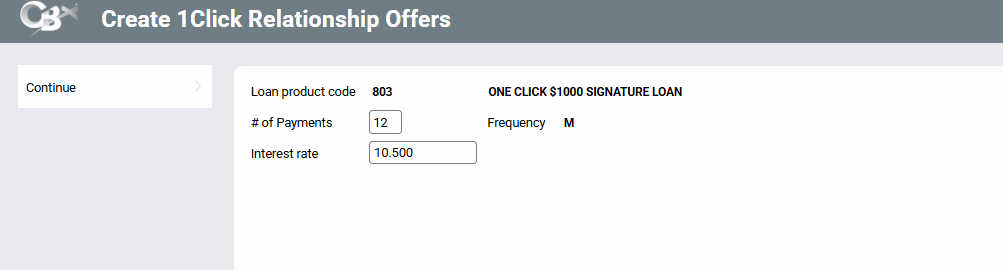
|
| Screen Title: | Create 1Click Relationship Offers | |
| Tool Number: | 1061 | |
| Click here to magnify |
Access this screen by using Continue on the second screen to create 1Click Relationship Offers.
Helpful Resources
Overview: 1Click Offers, 1Click Offers reference guide
Overview: CLR Path Decision Advisor, CLR Path reference guide
Screen Overview
Use this screen to enter the number of payments and interest rate for the offer. (The interest rate must fall within the range of the loan category.) Only payment frequency of monthly is currently supported.
-
If the % to use for calculating payment x.xxx (for CC and LOC) field is used in the loan product configuration, the view-only version of this screen is used. It includes the disbursement amount and this percent.
Use Continue to advance to the next screen.